According to research by IBM, nearly 2 in 5 candidates (38%) are more likely to accept a job offer just because of the experience they received from their prospective employer.
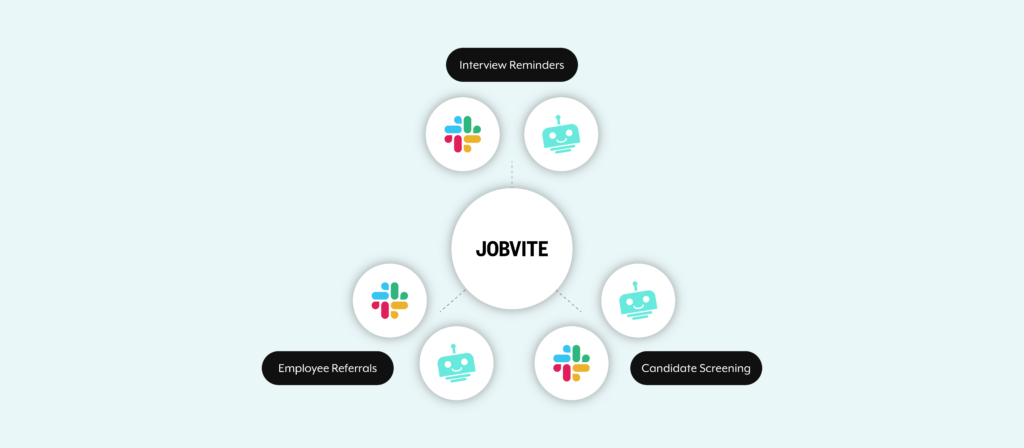
To help your organization deliver best-in-class candidate experiences and compete for talent more successfully, you can turn to recruiting automation. More specifically, you can turn to 3 workflows that, taken together, can help you attract more qualified candidates and delight each of them.
We’ll break down these automations under the assumption that you use Jobvite as your applicant tracking and recruiting system. If you use another, like Greenhouse, you can build the same set of workflows, only you’d replace Jobvite with Greenhouse.
Related: A close look at every type of HR automation
1. Help Your Team Stay on Top of Their Interviews
Your employees can easily forget about their upcoming interviews or fail to prepare for any adequately. After all, they have their own day-to-day responsibilities to take care of.
To ensure that that they show up to every interview and to nudge them to prepare for each thoroughly, you can build the following screening automation:

- An enterprise platform bot (e.g. Workbot) checks for upcoming interviews in Jobvite.
- Once the bot identifies an upcoming interview, it sends the interviewers a message in Slack.
- The Slack message includes everything an interviewer needs for attending the interview (Zoom link) and preparing for it (e.g. link to their resume).
Note: If you use another internal communications platform, like Microsoft Teams, you can still use this workflow. Simply substitute it with Slack.
Related: 2 examples of automated resume screening
2. Increase Employee Referrals by Raising Awareness of Job Postings
Your employees can be an invaluable resource for bringing in qualified candidates. To motivate them to share job openings with their network and submit quality referrals for any position, you can set up the following automation:

1. Once a job posting is added in Jobvite, the workflow gets triggered.
2. An enterprise platform bot adds the posting to the appropriate Slack channel, like #newjobs.
3. Employees can view the postings in the channel and post their referrals in Slack.
4. After they’ve submitted a referral, it instantly gets added to Jobvite.
3. Speed Up the Interview Process by Automating Candidate Screening
As each job post gathers dozens, if not hundreds, of submissions, there’ll likely be a high proportion of candidates who aren’t qualified.
You can help your recruiters reduce the time they spend on determining which qualify and which don’t by using the following workflow:

1. Once a candidate applies to the job, the workflow gets triggered.
2. Based on what the candidate provides in their job application and the criteria you’ve defined in the posting, an enterprise platform bot can determine whether the candidate qualifies.
3. If the candidate qualifies, the hiring team receives a Slack message that notifies them of the new applicant and provides key resources from their application, like their resume.
Use Workato to Build Your Jobvite Automations
You can use Workato, the leading enterprise automation platform, to build any Jobvite automation.
To learn more about how the Workato platform and its enterprise chatbot, Workbot, can streamline your recruiting workflows, you can schedule a demo with one of our automation experts!